An AI meeting note taker helps you capture meeting discussions automatically without manual effort. In 2026, online meetings are part of daily work, but taking notes while listening and speaking often leads to missed points and confusion.
Have you ever finished a meeting and realised you forgot important decisions or action items? This happens because multitasking during meetings is difficult. AI meeting note taker tools solve this problem by listening to meetings, converting speech into text, and creating clear summaries for you.
Instead of focusing on writing notes, you can now focus on the conversation. These tools work with popular platforms like Zoom, Google Meet, and Microsoft Teams, making them useful for professionals, remote teams, freelancers, and managers.
In this guide, you will discover the best AI meeting note taker tools in 2026. We will cover free features, accuracy, privacy, and real use cases so you can choose the right tool and save time after every meeting.
What Is an AI Meeting Note Taker
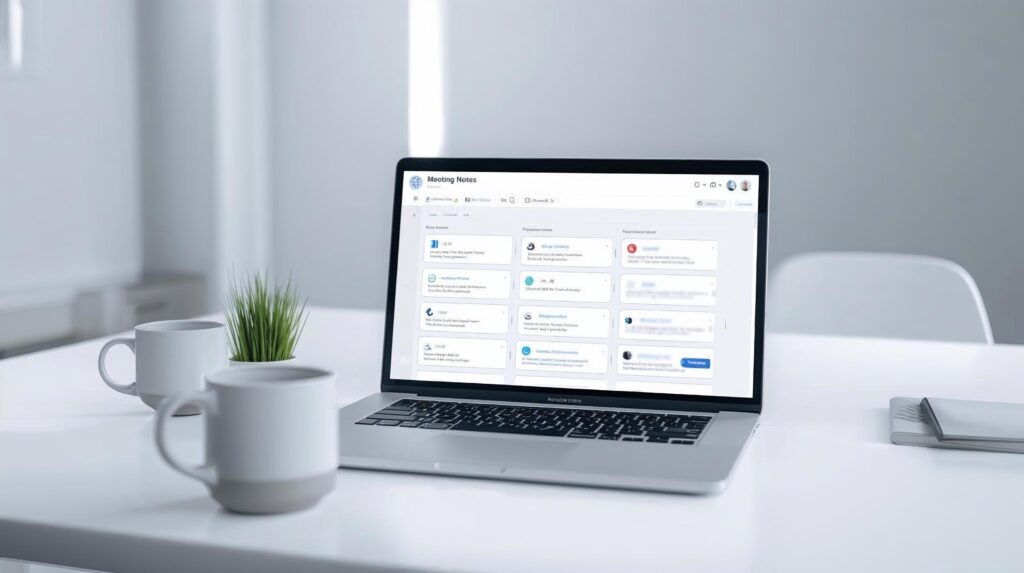
An AI meeting note taker is a tool that automatically listens to your online meetings and creates notes for you. Instead of writing everything manually, the tool records the conversation, converts spoken words into text, and organises the information clearly.
During a meeting, the AI listens to different speakers and transcribes the discussion in real time or after the meeting ends. It then summarises the key points, decisions, and important topics so you can review them quickly.
Manual note taking often leads to missed details because you are trying to listen, think, and write at the same time. AI notes remove this problem by capturing everything accurately and presenting it in a structured format. This makes AI notes more reliable and easier to use than handwritten or typed notes.
Why Use an AI Meeting Note Taker in 2026
Meetings are becoming more frequent in remote and hybrid work environments. Using an AI meeting note taker in 2026 helps you manage this workload without stress.
First, it saves time after meetings. You do not need to replay recordings or rewrite notes because summaries and action items are already prepared for you.
Second, it removes the need to multitask during calls. You can focus on listening and contributing to the discussion while the tool handles note taking in the background.
Finally, AI meeting note taker tools are useful for teams, freelancers, and professionals. Teams stay aligned with shared notes, freelancers can track client discussions easily, and professionals can manage meetings more efficiently.
Related: If you want to improve overall productivity at work, you can also read our guide on Best AI Productivity Tools in 2026 to automate daily tasks and workflows.
Quick Summary Table: Best AI Meeting Note Taker Tools
Before reading detailed reviews, it helps to get a quick overview. The table below compares the best AI meeting note taker tools in 2026 based on free plan availability, supported meeting platforms, and their main strengths. This makes it easier to shortlist the right tool for your daily meetings.
| Tool Name | Free Plan | Works With | Best For |
|---|---|---|---|
| Otter.ai | Yes | Zoom, Google Meet | Accurate meeting notes |
| Fireflies.ai | Yes | Zoom, Meet, Teams | Action items and summaries |
| Fathom | Yes | Zoom, Google Meet | Instant meeting summaries |
| Avoma | Limited | Zoom, Teams | Sales and team meetings |
| Supernormal | Yes | Google Meet | Simple automatic notes |
| Sembly AI | Yes | Zoom, Teams | Meeting insights and tasks |
Detailed Tool Reviews: Best Note Taker Tools
Below are detailed reviews of the best AI meeting note taker tools available in 2026. Each tool is reviewed based on note accuracy, summary quality, free plan usefulness, supported meeting platforms, and ease of use. This will help you clearly understand which tool fits your meeting style before choosing one.
Otter.ai
Otter.ai is one of the most popular AI meeting note taker tools used by professionals and teams. It automatically records meetings, converts speech into text, and creates clear meeting notes that are easy to review later.
Otter.ai works in the background during meetings and captures conversations in real time. It identifies speakers, highlights key points, and stores meeting transcripts in an organised way.
Key Features
- Real time meeting transcription
- Automatic meeting summaries
- Speaker identification
- Works with Zoom and Google Meet
Pros
- High transcription accuracy
- Easy to use interface
- Good free plan for basic use
Cons
- Free plan has monthly minute limits
- Advanced features are paid
Free or Paid
Otter.ai offers a free plan with limited monthly transcription minutes. Paid plans unlock more usage and advanced features.
Best For
Professionals, students, and teams who want accurate and reliable AI meeting notes.
Fireflies.ai
Fireflies.ai is an AI meeting note taker designed to capture conversations, create summaries, and track action items automatically. It joins meetings as a bot and records discussions without manual effort.
Fireflies.ai listens to meetings, transcribes conversations, and highlights important points like decisions, tasks, and follow ups. It also helps teams search past meetings easily using keywords.
Key Features
- Automatic meeting recording and transcription
- Smart summaries with action items
- Works with Zoom, Google Meet, and Microsoft Teams
- Searchable meeting notes
Pros
- Strong focus on action items
- Useful for team collaboration
- Works well across multiple meeting platforms
Cons
- Free plan has limited features
- Meeting bot may feel intrusive for some users
Free or Paid
Fireflies.ai offers a free plan with basic transcription and summaries. Paid plans provide advanced insights and integrations.
Best For
Teams, managers, and professionals who want meeting summaries with clear action items.
Fathom
Fathom is an AI meeting note taker that focuses on creating instant summaries after meetings. It records meetings silently and delivers clear highlights, key points, and action items without extra effort.
Fathom works mainly with Zoom and Google Meet. During meetings, it captures the conversation, and once the meeting ends, it automatically generates a short and easy to read summary. This helps you quickly understand what was discussed without going through full transcripts.
Key Features
- Automatic meeting summaries
- Highlights key points and decisions
- Works with Zoom and Google Meet
- Simple and clean interface
Pros
- Very fast post meeting summaries
- Easy to use with minimal setup
- Good free plan for individuals
Cons
- Limited platform support
- Not ideal for long or complex meetings
Free or Paid
Fathom offers a free plan with meeting recording and summary features. Paid plans provide additional controls and usage.
Best For
Individuals, freelancers, and professionals who want quick meeting summaries without complexity.
Avoma
Avoma is an AI meeting note taker built mainly for structured meetings like sales calls, team discussions, and client meetings. It focuses on turning conversations into organised notes, insights, and follow up actions.
Avoma records meetings, transcribes conversations, and then breaks them into topics such as agenda items, decisions, and action points. This makes it easier to review meetings and track outcomes, especially in team environments.
Key Features
- Automatic meeting transcription and notes
- Topic based summaries and insights
- Works with Zoom and Microsoft Teams
- Meeting analytics and follow ups
Pros
- Very organised meeting notes
- Helpful for sales and team meetings
- Good structure for recurring meetings
Cons
- Free plan is limited
- More features are focused on teams than individuals
Free or Paid
Avoma offers limited free access, mainly for testing. Full features are available in paid plans.
Best For
Sales teams, managers, and professionals who need structured meeting notes and insights.
Supernormal
Supernormal is a simple AI meeting note taker that focuses on creating clear and readable meeting notes automatically. It works mainly with Google Meet and is designed to keep things easy without complex settings.
Supernormal listens to meetings, transcribes conversations, and generates structured notes with key points and action items. The notes are easy to share with team members after the meeting ends.
Key Features
- Automatic meeting transcription
- Clean and structured meeting notes
- Works with Google Meet
- Easy sharing of notes
Pros
- Simple and beginner friendly
- Notes are easy to read and understand
- Good free plan for basic use
Cons
- Limited meeting platform support
- Fewer advanced features
Free or Paid
Supernormal offers a free plan with basic meeting note features. Paid plans unlock more usage and integrations.
Best For
Individuals and small teams using Google Meet who want simple AI meeting notes.
Sembly AI
Sembly AI is an AI meeting note taker that goes beyond basic transcription. It focuses on turning meetings into clear summaries, insights, and tasks that help you take action after the meeting.
Sembly AI records meetings, converts speech into text, and analyses conversations to highlight important topics, decisions, and next steps. It works well for both individual professionals and teams who want more structured meeting outcomes.
Key Features
- Automatic meeting transcription and summaries
- Action items and key topic detection
- Works with Zoom and Microsoft Teams
- Meeting insights and analytics
Pros
- Detailed summaries with clear action points
- Useful insights beyond simple notes
- Good balance of features for teams
Cons
- Interface may feel detailed for beginners
- Some advanced insights are paid
Free or Paid
Sembly AI offers a free plan with limited meeting credits. Paid plans provide deeper insights and higher usage limits.
Best For
Professionals and teams who want actionable meeting summaries and insights.
How to Choose the Right AI Meeting Note Taker
Choosing the right AI meeting note taker depends on how you attend meetings and what you expect from your notes. Not all tools work the same way, so understanding a few key points will help you decide better.
First, check which meeting platforms the tool supports. Some tools work only with Google Meet, while others support Zoom and Microsoft Teams. Make sure the tool matches the platform you use daily.
Second, look at the quality of summaries and action items. A good AI meeting note taker should not just transcribe meetings but also highlight key points, decisions, and next steps clearly.
Privacy is another important factor. Since meeting discussions may include sensitive information, always check how the tool stores data and whether it offers secure access to your notes.
Finally, consider the free plan limits. If you attend many meetings, usage limits may matter. Try the free version first and upgrade only if the tool fits your workflow well.
Limitations of AI Meeting Note Taker Tools
AI meeting note taker tools are helpful, but they are not perfect. Knowing their limitations helps you set the right expectations and use them more effectively.
First, accuracy can vary based on audio quality. Background noise, strong accents, or overlapping speech can affect how well the tool transcribes meetings.
Second, free plans usually come with limits. You may face restrictions on meeting duration, number of meetings, or access to advanced summaries and insights.
Privacy can also be a concern. Since these tools record conversations, it is important to inform participants and understand how meeting data is stored and protected.
Finally, AI meeting note takers may not capture context perfectly. While they summarise discussions well, they may miss tone, intent, or informal decisions made during conversations.
Who Should Use AI Meeting Note Taker Tools
AI meeting note taker tools are useful for anyone who attends meetings regularly and wants to save time on documentation.
Remote teams can use these tools to keep everyone aligned, even if someone misses a meeting. Shared notes help teams track decisions and action items easily.
Freelancers and consultants can benefit by recording client discussions and reviewing requirements later without relying on memory or manual notes.
Managers and professionals can use AI meeting note takers to focus on conversations instead of writing notes. This leads to better participation and clearer follow ups after meetings.
Students attending online classes or group discussions can also use these tools to capture lectures and important points without stress.
Related: For capturing ideas and organising information beyond meetings, our post on Best AI Note Taking Apps in 2026 can help you manage notes more efficiently.
Final Thoughts
Meetings are important, but managing notes should not take extra time or effort. In 2026, an AI meeting note taker helps you stay focused during meetings while the tool handles notes, summaries, and action items automatically.
The tools covered in this guide offer different strengths, from accurate transcriptions to clear summaries and team collaboration features. Free plans are good enough to get started and understand which tool fits your workflow.
If you attend meetings regularly, using an AI meeting note taker can improve productivity and reduce follow up work. Try one or two tools, review the results, and choose the option that helps you save time after every meeting.
Frequently Asked Questions (FAQs)
An AI meeting note taker automatically records meetings and creates notes, summaries, and action items.
Most tools are accurate for clear audio, but quality may vary with noise or overlapping speech.
Yes, many AI meeting note takers support Zoom, Google Meet, and Microsoft Teams.
Yes, several tools offer free plans with limited meeting minutes and features.
Most tools follow security standards, but you should always check their data and privacy policies.
Professionals, teams, freelancers, and students who attend online meetings regularly can benefit.