

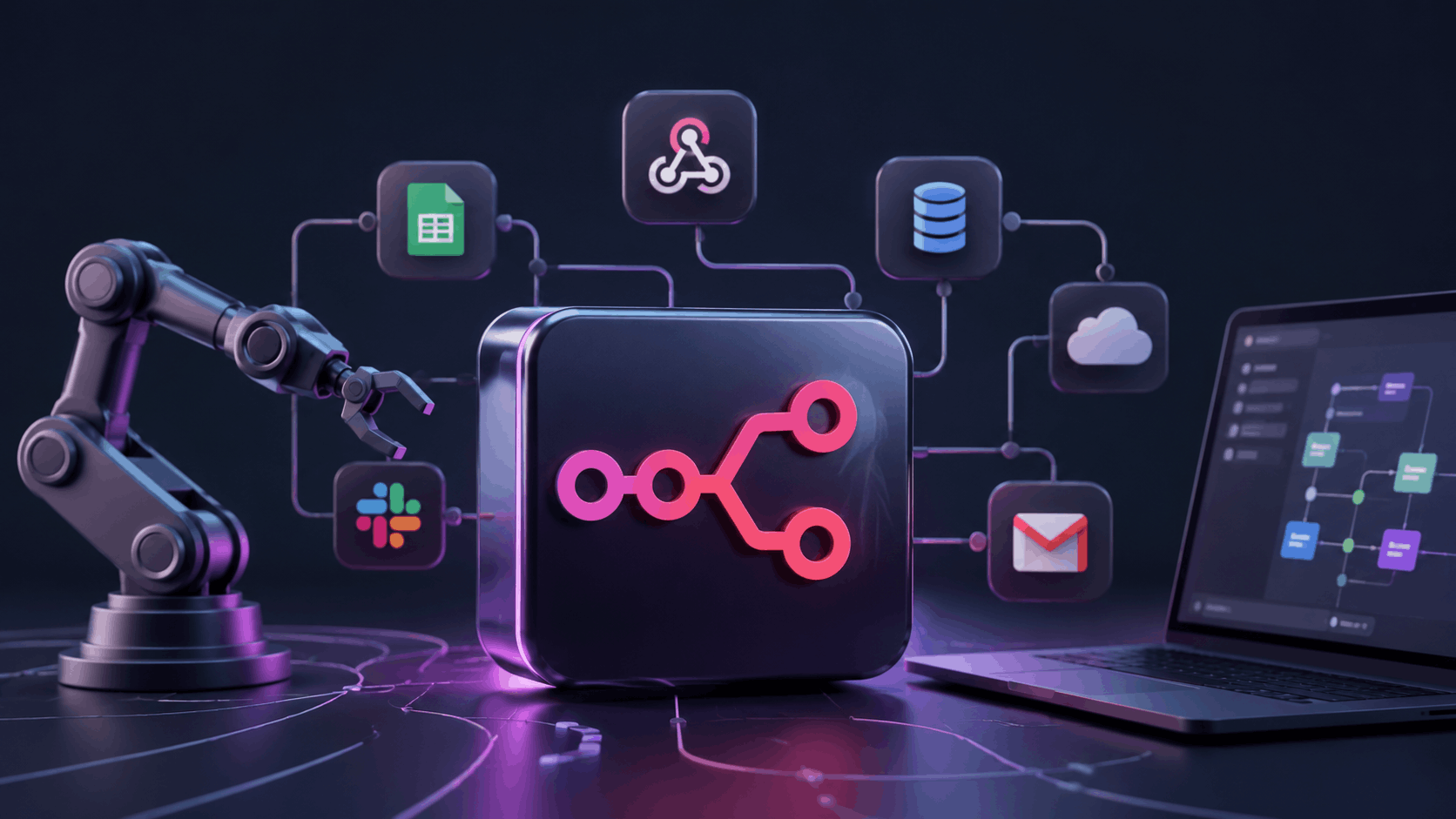
What if you could automate your entire business workflow and pay nothing? Or at most, €24 a month?
n8n is a tool that connects your apps and handles boring repetitive tasks automatically. No manual work. No copying and pasting between tools. Just automation that actually works.
This review is for developers, technical freelancers, small business owners, and anyone sick of paying Zapier prices. If you want something that works in 5 minutes with no learning, this might not be for you. But if you want power, control, and lower costs? Keep reading.
Short answer: n8n is one of the most powerful automation tools out there. But it is not for everyone.
Want to try it yourself? n8n offers a 14-day free trial with no credit card needed.
What is n8n?
Think of n8n like a set of digital Lego bricks. Each brick is an app. You connect them however you want.
Here is a real example. Someone fills out your contact form. n8n automatically saves their details to Google Sheets. Then it sends them a welcome email. Then it adds them to your CRM. And then it notifies your team on Slack. All automatic. All in under 2 seconds.
That is n8n. It lets you build workflows that connect apps, process data, and take action. You do not need to write code, but you can if you want to.
n8n uses a fair-code license. The source code is publicly available, so you can see how it works, customize it, and self-host it if needed. This gives you more control and flexibility than many automation tools.
Who is n8n For?
n8n IS a good fit if you are:
Do you relate to any of these?
- A developer or someone comfortable with APIs and webhooks
- A freelancer who wants to automate client work and cut costs
- A small business tired of paying Zapier prices month after month
- A team that wants full control over your data and willing to self-host
- Someone okay spending a few hours learning a new tool
If this sounds like you, n8n will probably save you hundreds of dollars per year. Maybe more.
n8n is NOT a good fit if you are:
Does this sound like you instead?
- A complete beginner with zero technical background
- Someone who needs automation working right now, in 5 minutes
- A non-technical marketing team needing simple plug and play
- Someone who hates troubleshooting when things break
If you fit this box, Zapier or Make might be a better starting point. Come back to n8n once you feel more confident. There is no shame in that.
Being honest here builds trust. The tools that work best are the ones matched to the right person.
Key Features of n8n
Visual Workflow Builder
You drag and drop nodes. No coding required, though you can add code if you want. You see the entire workflow on your screen. You spot errors instantly. And you fix them in seconds.
This visual approach makes complex automations much easier to understand than writing code from scratch. Try building something in n8n. You will see what we mean.
1800+ Integrations
n8n connects with tools you already use. Google Sheets, Slack, Gmail, Notion, Airtable, HubSpot, Stripe and more than 1,800 other integrations.
For anything not listed, you use the HTTP node to connect any API. This means n8n can reach almost any tool or service out there.
AI Agent Capabilities
n8n has 70+ built-in AI nodes. You build workflows that use ChatGPT to summarize emails. You use Claude to categorize customer requests. And you add any AI model to make decisions automatically.
This is where n8n really shines in 2026. AI workflows are becoming essential. And n8n is ahead of the game here.
Self-Hosting and Data Control
You run n8n on your own server. Your data never leaves your machine. No cloud storage. No third party access.
n8n uses a fair-code license. This means the source code is publicly available for personal and internal use. But if you want to use it commercially at scale, there are some licensing conditions. It is not the same as traditional open source — but it gives you far more transparency and control than a typical SaaS tool.
For businesses handling customer data, contracts, or anything sensitive — this matters a lot. You are not trusting a third party with your data. You control it completely.
The self-hosted Community Edition is completely free. You only pay for your server, which typically costs $3 to $7 per month on a basic VPS.
Unlimited Users and Workflows
All plans include unlimited team members. No per-seat pricing, that means you do not pay extra per person). Unlimited active workflows on all plans. n8n removed active workflow limits in August 2025.
You can add your whole team without paying extra per person. That is different from many other tools.
n8n Pricing: What Does It Actually Cost?
| Plan | Price | Executions Per Month | Best For |
|---|---|---|---|
| Self-Hosted Community | FREE | Unlimited | Developers and technical users |
| Cloud Starter | €24 per month | 2,500 | Freelancers and small teams |
| Cloud Pro | €60 per month | 10,000 | Growing businesses |
| Cloud Business | €800 per month | 40,000 plus | Large teams and complex workflows |
| Enterprise | Custom pricing | Unlimited | Big companies with custom needs |
The prices below reflect month-to-month billing. Choosing annual billing can reduce costs by around 17%, depending on the plan.
The Critical Thing You Need to Know
The Cloud Starter plan looks cheap. €24 per month. 2,500 monthly executions sounds like plenty.
Here is the truth. One simple workflow, like checking your Gmail every 5 minutes, uses 8,640 executions per month on its own. That is more than your entire month’s allowance.
What happens when you hit the limit? All your workflows stop. No warning. No grace period. Nothing.
The solution? Pick the Pro plan, €60 per month, 10,000 executions or self-host for free.
Many people start with Starter and regret it. Learn from them.
Free Trial
n8n gives you a 14-day free trial on Cloud plans. No credit card needed. That is enough time to properly test it before paying anything.
What We Like About n8n
1: The Price is Hard to Beat
Compare n8n Cloud Pro to Zapier Professional. n8n costs €60 per month for 10,000 executions. Zapier’s Professional plan starts at $29.99 per month but the price increases as your task volume grows. At higher usage, n8n gives you significantly more for a similar or lower cost.
Here is why. n8n charges per workflow RUN. One 10-step workflow runs once? That is 1 execution. On Zapier, that same workflow? That is 10 tasks. Every step counts separately. The cost difference becomes massive as your workflows get more complex.
A business running 50 workflows per day saves hundreds of dollars per month switching from Zapier to n8n. That is real money.
2: Full Data Control with Self-Hosting
Most automation tools store your data on their servers. n8n lets you host it yourself. Your data stays on your server.
For businesses handling customer data, contracts, or anything sensitive, this is huge. You are not giving your data to a third party. You control it.
3: Flexibility to Build Almost Anything
With Zapier, you are stuck with what Zapier can do. With n8n, if a built-in node does not exist, you use the HTTP node to connect any API.
You can also add custom JavaScript or Python code inside workflows. This means you can build automations that Zapier simply cannot do. Period.
4: AI Workflows are Powerful
n8n has 70+ built-in AI nodes. You build workflows that use ChatGPT to summarize customer emails. You use Claude to categorize support requests. And you use any AI model to make decisions automatically.
This is where n8n pulls ahead in 2026. Most competitors are still catching up on AI integration.
5: Community is Extremely Active
Stuck on something? The n8n community forum has thousands of members. There are also 500+ free workflow templates you can import and use immediately.
You are not alone when learning this tool. Someone has probably solved your problem already.
What Could Be Better
1: It Takes Time to Learn
n8n is not something you set up in 10 minutes. If you have never worked with webhooks, APIs, or JSON data before, expect to spend a few hours. Maybe a few days.
The concepts are powerful but not obvious at first. There is a learning curve. A real one.
2: The Starter Plan Execution Limit is a Trap
We talked about this in the pricing section. The 2,500 execution per month limit on Starter runs out faster than most people expect.
One polling workflow can eat through your entire month’s allowance. One. Single. Workflow. Be careful here.
3: Self-Hosting Needs Technical Skill
Self-hosting sounds great. And it is, for the right person. But if you have never set up a server before, it can be frustrating.
You need to handle updates, security patches, and maintenance yourself. This is not for everyone. Be honest with yourself about this.
4: Less Integrations Than Zapier (For Now)
Zapier offers access to more than 9,000 apps, while n8n supports over 1,800 integrations. For most businesses, both platforms cover the most popular tools, but Zapier still has an advantage for niche software.
For most common tools (Gmail, Slack, Notion, Google Sheets) n8n has what you need.
But for very niche software, Zapier may have a native connector that n8n does not. For 95% of use cases, this is not a problem.
5: Licensing Can Be Confusing
Many people assume n8n is fully open source, but it uses a fair-code license instead. While self-hosting and customization are allowed, certain commercial uses may require a separate agreement.
Businesses planning to build customer-facing products on top of n8n should review the license carefully.
n8n vs Zapier: Quick Comparison
| Feature | n8n | Zapier |
|---|---|---|
| Starting Price | €24 per month | $29.99 per month |
| How They Charge | Per workflow run | Per task per step |
| Self-Hosting | Yes (free) | No |
| Integrations | 1800+ | 9,000+ |
| Learning Curve | Steeper | Easier |
| Best For | Technical users | Non-technical users |
Want a deeper comparison of n8n vs Zapier? We are writing a full post on this soon.
Real World Use Cases: What Can You Actually Do With n8n?
Use Case 1: Automate Lead Management
Someone fills out your contact form. n8n automatically saves their details to Google Sheets. Sends them a welcome email. Adds them to your CRM. Notifies your team on Slack. All in under 2 seconds. Zero manual work.
Your team never misses a lead again. Ever.
What would this save you? If your team spends 2 minutes per lead doing this manually, and you get 20 leads per week, that is 40 minutes per week. 2,000+ minutes per year. That adds up.
Use Case 2: Social Media Automation
You publish a new blog post. n8n automatically shares it to Twitter, LinkedIn, and Facebook. You write once. It posts everywhere.
No manual sharing. No forgetting to promote your content.
What would this save you? If you publish 2 posts per week and sharing takes 5 minutes each, that is 10 minutes per week. Over a year, that is almost 9 hours of your time back.
Use Case 3: Invoice and Payment Tracking
A client pays an invoice on Stripe. n8n updates your accounting spreadsheet. Sends a thank you email to the client. Adds the payment to your completed projects folder.
Your bookkeeping stays current without manual data entry. No more lost records.
What would this save you? If you handle 10 invoices per week and updating records takes 3 minutes each, that is 30 minutes per week. 1,560 minutes per year. That is over 26 hours.
Use Case 4: AI-Powered Customer Support
A customer sends a support email. n8n passes it to ChatGPT. The AI drafts a reply. Sends it to your team for one click approval. Then sends the response to the customer.
Your team handles more support tickets in less time. Customers get faster responses.
What would this save you? If you get 30 support emails per week and responses take 4 minutes each, that is 120 minutes per week. 6,240 minutes per year. That is over 100 hours.
Use Case 5: Internal Team Alerts
n8n monitors your website every 10 minutes. If it goes down, it sends a Slack message to your whole team immediately. No delays. No guessing.
You never learn about downtime from your customers again.
What would this save you? If your site goes down 1 time per month for 2 hours on average, you lose sales and reputation. Knowing immediately means you can fix it in 15 minutes instead of 2 hours. That is time and money.
Is n8n Free?
n8n has two versions. Let us break this down.
Self-Hosted Community Edition. This is 100% free. You can run unlimited workflows with unlimited executions. The only cost is your server (usually €3-7 per month for a basic VPS).
This is the best option if you are comfortable managing a server.
n8n Cloud. This is not free. It starts at €24 per month. There is a 14-day free trial with no credit card needed. But after the trial ends, you need to pay.
So yes. n8n is free if you self-host. Not free if you use the Cloud version.
Who Should Use n8n in 2026?
1: YES, Get n8n
You are a developer or technical freelancer who wants powerful automation without paying Zapier prices. You know APIs. And you are comfortable with a short learning curve. For you, n8n is excellent value.
You will save money fast. You will build automations that no other tool can do.
2: YES, But Start with Cloud
You are a small business that wants to automate workflows but does not want to manage servers. Start with the Cloud Starter plan. Or use the 14-day trial. See if it works for you before committing money.
You get to test everything before you pay a single dollar.
3: Maybe Not Yet
You are a beginner with no technical experience. n8n can work for you, but it will take real time to learn. If you need automation working this week? Start with Zapier or Make first. Come back to n8n when you are more comfortable with automation concepts.
There is no shame in starting somewhere else. Everyone starts somewhere.
Final Thoughts: Should You Use n8n?
n8n is genuinely impressive. The ability to self-host for free. Build complex automations visually. Connect AI tools into your workflows. It is hard to find another tool that does all of this at this price.
The honest catch? It is not beginner friendly. If you come in expecting something as simple as Zapier, you will be frustrated. The learning curve is real.
But if you are technical, or willing to spend time learning? n8n could easily save you hundreds of dollars per year compared to Zapier. And the self-hosting option means your data stays where you want it.
For most technical users and small development teams, we recommend giving it a try. The 14-day free trial costs you nothing.
Ready to try n8n? Start your 14-day free trial. No credit card required.
Related Posts
Frequently Asked Questions (FAQs)
n8n is free if you self-host it on your own server using the Community Edition. You only pay for the server, which typically costs €3-7 per month. The Cloud version is not free. It starts at €24 per month after a 14-day trial.
Not exactly. n8n uses a fair-code licensing model rather than an OSI-approved open-source license. The source code is publicly available, and users can self-host the platform, but some commercial restrictions apply.
n8n is better than Zapier for technical users who want more control, lower costs, and the ability to self-host. Zapier is better for non-technical users who need simpler, faster setup and access to 9,000+ app integrations.
n8n has a steeper learning curve than tools like Zapier. If you have experience with APIs, webhooks, or basic coding concepts, you can get productive in a few days. Complete beginners may need more time to understand how workflows and data flow work.
n8n is used to automate repetitive business tasks by connecting apps and services. Common uses include lead management, social media automation, invoice tracking, AI powered customer support, and internal team notifications.
n8n Cloud is managed by n8n and requires a monthly subscription (starting at €24 per month). Self-hosted means you run n8n on your own server. It is free but requires technical setup and maintenance. Self-hosted gives you unlimited executions and full data control.
Disclosure: This post contains affiliate links. We may earn a commission if you sign up through our links, at no additional cost to you.