Have you ever wanted to start a YouTube channel, but felt like it takes too much time?
You sit down to make a video and then get stuck.
What should I say?
How do I edit this?
How do people even make those cool thumbnails?
I felt the same when I first tried.
Making one video can take hours. Sometimes even a full day. And if you are doing everything alone, it can feel tiring very quickly.
But here is the good news.
Now we have AI.
AI means a smart computer tool that helps you do your work faster. Think of it like a helpful friend who can write, edit, and create things for you.
With the right AI tools, you can write your script in minutes, create voiceovers without recording, make videos faster, and design thumbnails easily.
Sounds good, right?
In this guide, I will show you the best AI tools for YouTube creators. I will also show you how to use them step by step in a very simple way.
So even if you are a complete beginner, don’t worry.
Let’s start.
Quick Answer
Not sure where to start? Don’t worry. Here are some simple picks you can try first.
- Best overall: ChatGPT
- Best for voice: ElevenLabs
- Best for video: Pictory
- Best for thumbnails: Canva
If you are a beginner, you can start with just these tools.
You don’t need to use everything at once. Try one tool, learn it, and then slowly explore others.
In the next sections, I will explain each type of tool in a very simple way so you can understand how everything works together.
What are AI Tools for YouTube Creators
Let’s keep this very simple.
AI tools are like smart helpers on your computer.
They can do tasks that normally take a lot of time.
For YouTube creators, these tools help you create videos faster and easier.
For example, they can:
- write your video script
- turn text into voice
- create videos from your script
- design thumbnails
Instead of doing everything manually, you get help at every step.
Think of it like this.
Earlier, making a video was like doing all homework alone.
Now, AI is like a helpful friend sitting next to you, helping you finish it faster.
But one important thing.
AI does not replace you.
It just helps you. You still need your ideas and creativity.
That is what makes your videos unique.
In the next section, let’s see why so many YouTube creators are using AI today.
Why YouTube Creators Use AI
Let’s be honest.
Making YouTube videos takes a lot of time.
You have to think of ideas, write scripts, record voice, edit videos, and design thumbnails. Doing all this alone can feel tiring.
This is why many creators are now using AI tools.
First, AI saves time.
What used to take hours can now be done much faster.
Second, it makes work easier.
You don’t need to be an expert in editing or design to get started.
Third, it helps you stay consistent.
Posting regularly is important on YouTube, and AI makes it easier to keep up.
Fourth, it reduces effort.
You can focus more on your ideas instead of getting stuck in technical work.
Think about this.
If you can finish one video in less time, you can create more videos and improve faster.
That is the real advantage.
In the next section, let’s see how you can choose the right AI tools without getting confused.
How to Choose the Right AI Tool
Now you might be thinking, there are so many tools. Which one should I use?
Don’t worry. You don’t need all of them.
You just need the right tool for your goal.
Here are a few simple things to check.
First, ease of use.
Pick a tool that is simple. If it feels confusing, you will stop using it.
Second, output quality.
Check what the tool creates. Is the voice natural? Does the video look good?
Third, pricing.
Some tools are free, some are paid. Start with free or low-cost options.
Fourth, your use case.
Ask yourself, what do you want to do?
Do you want to make short videos?
Or long YouTube videos?
Your goal will decide the tool.
Here is a simple way to think about it.
If you are just starting, choose easy tools.
If you want more control later, you can try advanced tools.
You don’t need perfect tools.
You just need tools that help you start.
Now let’s explore some tools you can actually try and see how they help in real content creation.
Best AI Tools for YouTube Creators
Now comes the interesting part.
Let’s look at the tools that can actually help you create YouTube videos faster.
Don’t worry. You don’t need to use all of them.
Each tool solves a small part of your work. When you combine them, your whole process becomes much easier.
We will look at tools based on what they do.
So instead of getting confused, you can clearly understand:
- which tool helps in writing
- which tool helps in voice
- which tool helps in video
- which tool helps in thumbnails
This way, you can pick only what you need.
Let’s start with the first step of every YouTube video.
Writing the script.
AI Script Writing Tools for YouTube Creators
Before you create a video, you need to know what to say.
This is where script writing tools help you.
Instead of staring at a blank screen, these tools give you ideas, structure your content, and even write full scripts for you.
When I first tried this, I was surprised. I just typed a simple idea, and within seconds, I had a full script ready. It was not perfect, but it gave me a strong starting point.
Let’s look at some tools you can try.
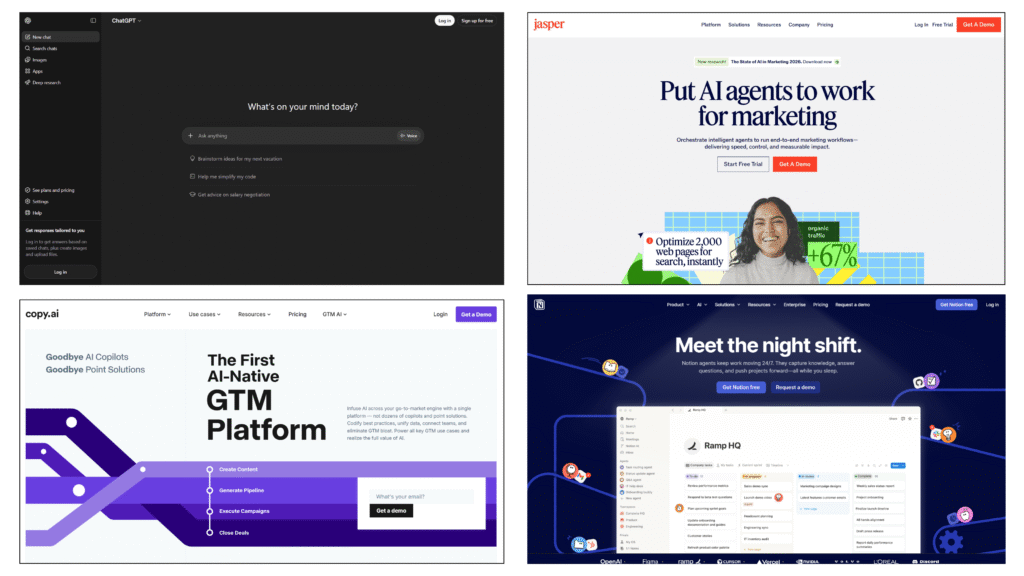
Tools you can use
Simple comparison
| Tool | Best For | Easy to Use | Output Quality | Free Option | Good For Beginners |
|---|---|---|---|---|---|
| ChatGPT | Ideas + full scripts | Very Easy | High | Available | Very beginner friendly |
| Jasper | Structured scripts | Easy | High | Paid plan | Good for guided writing |
| Copy.ai | Short scripts | Easy | Medium | Available | Simple quick content |
| Notion AI | Notes + scripts | Easy | Medium | Available | Good if you use Notion |
How these tools actually help
Let’s understand this in a simple way.
Imagine you want to create a video about “How to wake up early”.
Normally, you would:
- think of ideas
- write everything
- arrange points
This takes time.
Now with AI, you can just type:
“Write a YouTube video script about waking up early for beginners.”
This sentence is called a prompt.
A prompt is just the instruction you give to the AI.
Within seconds, you get:
- an intro
- main points
- an ending
Now you are not starting from zero. You already have a base to work with.
What each tool is good at
- ChatGPT: This tool feels like chatting with a smart friend. You can ask for ideas, improve your script, and even rewrite parts easily. It is flexible and simple to use.
- Jasper: This tool gives more structure. It comes with templates, so you can follow a clear format. It helps when you want organized and clean scripts.
- Copy.ai: This tool is useful for short content. You can quickly generate hooks, titles, or short scripts without spending much time.
- Notion AI: This works well if you already use Notion for notes. You can turn your ideas into scripts in the same place without switching tools.
Simple tips to get better results
- Be clear in your prompt
Instead of “write script”, try “write a 2-minute YouTube script for beginners” - Ask for structure
Example: “give intro, 3 points, and ending” - Edit before using
Add your own words and style to make it feel natural
Common mistake
Some beginners copy everything exactly as the AI gives it.
This makes the content feel generic.
A better way is:
- read the script
- change the words
- add your own thoughts
This makes your video feel more real and personal.
These tools help you move faster, but your ideas are still the most important part.
Now your script is ready. The next step is to turn it into a voice that people can listen to clearly.
AI Voice Tools for YouTube Creators
Now your script is ready.
But how will people hear it?
You can record your own voice. That is always a good option.
But what if you:
- don’t have a good mic
- don’t like your voice
- want to save time
This is where AI voice tools help you.
These tools can turn your script into a natural sounding voice in just a few seconds.
It feels like someone is reading your script for you.
Tools you can use
- ElevenLabs
- Murf AI
- Resemble AI
- LOVO AI
Simple comparison
| Tool | Best For | Voice Quality | Ease of Use | Free Option | Special Feature |
|---|---|---|---|---|---|
| ElevenLabs | Realistic voice | Excellent | Easy | Available | Very natural sound |
| Murf AI | Professional voice | High | Easy | Limited | Studio-like voices |
| Resemble AI | Voice cloning | High | Medium | Limited | Custom voice |
| LOVO AI | Beginner voice | Good | Easy | Available | Simple setup |
For a deeper understanding, you can read our guide on AI voice generator tools for videos and podcasts.
How these tools actually help
Let’s say you have a script ready.
Instead of recording your voice, you can paste the script into the tool.
The tool will:
- read your text
- convert it into audio
- give you a voice file
Now you can use that voice in your video.
This saves time and effort.
What each tool is good at
- ElevenLabs: This tool is known for very natural voices. It sounds close to a real human. Many creators use it for faceless videos.
- Murf AI: This tool is good for professional style voiceovers. It works well for educational or business videos.
- Resemble AI: This tool lets you create a custom voice. You can make a voice that sounds like you or your brand.
- LOVO AI: This tool is simple and beginner friendly. You can quickly generate voice without much setup.
Want a deeper look at ElevenLabs or Murf AI? Check out our full reviews.
Simple tips to get better results
- Choose a voice that matches your content
- Adjust speed and tone if needed
- Listen once before using
Common mistake
Using a voice that sounds too robotic. If the voice feels unnatural, people may stop watching. So always pick a clear and natural voice.
Now your script has a voice.
The next step is to turn everything into a video that people can watch.
AI Video Tools for YouTube Creators
Now you have your script and voice ready.
The next step is to turn them into a video.
This is where many beginners feel stuck.
Editing videos, adding clips, arranging scenes. It can feel confusing at first.
AI video tools make this much easier.
They can take your script or voice and turn it into a video with visuals, text, and clips.
Tools you can use
- Pictory
- Synthesia
- Runway
- InVideo AI
Simple comparison
| Tool | Best For | Video Style | Ease of Use | Free Option | Special Feature |
|---|---|---|---|---|---|
| Pictory | Script to video | Stock clips | Easy | Available | Auto video creation |
| Synthesia | Avatar videos | Talking person | Easy | Paid | AI presenter |
| Runway | Creative videos | Advanced visuals | Medium | Limited | AI editing tools |
| InVideo AI | Quick videos | Templates | Easy | Available | Fast generation |
If you want more details, take a look at our guide on AI animated video maker tools.
How these tools actually help
Let’s say you have your script and voice ready.
Normally, you would:
- search for clips
- add them one by one
- arrange everything
This takes a lot of time.
With AI tools, you can simply upload your script.
The tool will:
- find matching visuals
- add text
- create scenes
Now you already have a video draft ready.
What each tool is good at
- Pictory: This tool is very beginner friendly. You give a script, and it creates a video using stock clips automatically.
- Synthesia: This tool creates videos with AI avatars. It looks like a real person is speaking your script.
- Runway: This tool is more advanced. You can create unique visuals and edit videos using AI features.
- InVideo AI: This tool is fast and simple. You can create videos quickly using templates and AI support.
Simple tips to get better results
- Keep your script clear and simple
- Choose visuals that match your topic
- Review the video before publishing
Common mistake
Using random clips that don’t match your content.
Even if AI generates the video, you should still check and adjust it.
Now your video is almost ready.
The next thing people notice is the thumbnail. That is what makes them click.
AI Thumbnail Tools for YouTube Creators
Now your video is ready.
But before someone clicks your video, they see one thing first.
The thumbnail.
A thumbnail is the small image that represents your video. It plays a big role in getting clicks.
Even a good video can be ignored if the thumbnail is not attractive.
This is where AI tools can help you.
They can create eye-catching images, suggest designs, and make your thumbnails look more professional.
Tools you can use
- Canva
- Adobe Firefly
- Midjourney
- Leonardo AI
Simple comparison
| Tool | Best For | Design Level | Ease of Use | Free Option | Special Feature |
|---|---|---|---|---|---|
| Canva | Easy thumbnails | Beginner | Very Easy | Available | Drag and drop |
| Firefly | AI images | Medium | Easy | Available | Text to image |
| Midjourney | High quality visuals | Advanced | Medium | Paid | Artistic images |
| Leonardo AI | YouTube visuals | Medium | Easy | Available | Style control |
Want to go deeper? Take a look at our full guide on AI thumbnail tools for YouTube creators.
How these tools actually help
Let’s say you have your video ready.
Now you need a thumbnail.
Normally, you would:
- open a design tool
- create layout
- add text and images
This takes time and some design skills.
With AI tools, you can:
- choose a template
- generate images
- quickly adjust text
Now your thumbnail is ready much faster.
What each tool is good at
- Canva: This is the easiest tool to use. You can drag and drop elements and create thumbnails quickly, even if you have no design experience.
- Adobe Firefly: This helps you create images using text. You can describe what you want, and it generates visuals.
- Midjourney: This creates very high-quality and creative images. It works well if you want unique and detailed visuals.
- Leonardo AI: This is very useful for YouTube style images. You can control styles and create eye-catching thumbnails easily.
Simple tips to get better results
- Keep text short and clear
- Use bright and contrasting colors
- Focus on one main idea
Common mistake
Adding too much text or too many elements. This makes the thumbnail confusing. A clean and simple design works better.
Now your video looks good and has a strong thumbnail.
The final step is to edit everything properly before publishing.
AI Video Editing Tools for YouTube Creators
Now your video and thumbnail are ready.
Before you upload, there is one last step.
Editing.
Editing helps you clean your video and make it better to watch.
You can:
- cut unwanted parts
- add subtitles
- improve audio
- fix small mistakes
This is where AI editing tools help you.
They make editing simple, even if you are new.
Tools you can use
- Descript
- VEED.IO
- Filmora
- Kapwing
Simple comparison
| Tool | Best For | Editing Style | Ease of Use | Free Option | Special Feature |
|---|---|---|---|---|---|
| Descript | Edit by text | Unique | Easy | Available | Text-based editing |
| VEED.IO | Online editing | Simple | Easy | Available | Subtitles |
| Filmora | Full editing | Advanced | Medium | Paid | Complete editor |
| Kapwing | Quick edits | Easy | Easy | Available | Browser-based |
If you want to learn more, check our guide on AI tools for video editing.
How these tools actually help
Let’s say your video has small mistakes.
Normally, you would:
- watch full video
- find mistakes
- cut them manually
This takes time.
With AI tools, you can:
- edit using text
- auto generate subtitles
- remove silence
This makes editing faster and easier.
What each tool is good at
- Descript: This tool is very unique. You can edit video by editing text. If you delete a word, that part of the video is removed.
- VEED.IO: This tool works in your browser. You can quickly edit videos and add subtitles without installing anything.
- Filmora: This tool gives more control. You can do full editing like a professional, but it takes a little time to learn.
- Kapwing: This tool is simple and fast. It is good for quick edits and small changes.
Simple tips to get better results
- remove long pauses
- add subtitles for clarity
- keep video smooth and clean
Common mistake
Uploading videos without editing. Small mistakes can affect viewer experience. Even simple edits can make your video look much better.
Now your video is fully ready.
Let’s see how all these tools come together in a simple workflow.
Simple AI Workflow for YouTube
Now you have seen all the tools.
But how do you actually use them together?
Let’s keep this very simple.
Think of this like a step by step process you can follow every time.
Step 1: Write your script
Start with a simple idea.
Use a tool like ChatGPT to turn your idea into a script.
You don’t need a perfect script. Just get a clear structure.
Step 2: Create voice
Take your script and paste it into a voice tool.
Use something like ElevenLabs to generate a natural sounding voice.
Download the audio.
Step 3: Create your video
Now use a video tool like Pictory.
Upload your script or voice.
The tool will create a video with visuals and scenes.
Step 4: Edit the video
Your video is ready, but you can improve it.
Use a tool like Descript to:
- Remove mistakes
- Add subtitles
- Clean up the video
Step 5: Create thumbnail
Now design your thumbnail.
Use Canva to quickly create a clean and simple thumbnail.
Step 6: Upload and publish
Now everything is ready.
Upload your video to YouTube.
Add:
- Title
- Description
- Thumbnail
And publish.
Simple way to remember
You can think of it like this:
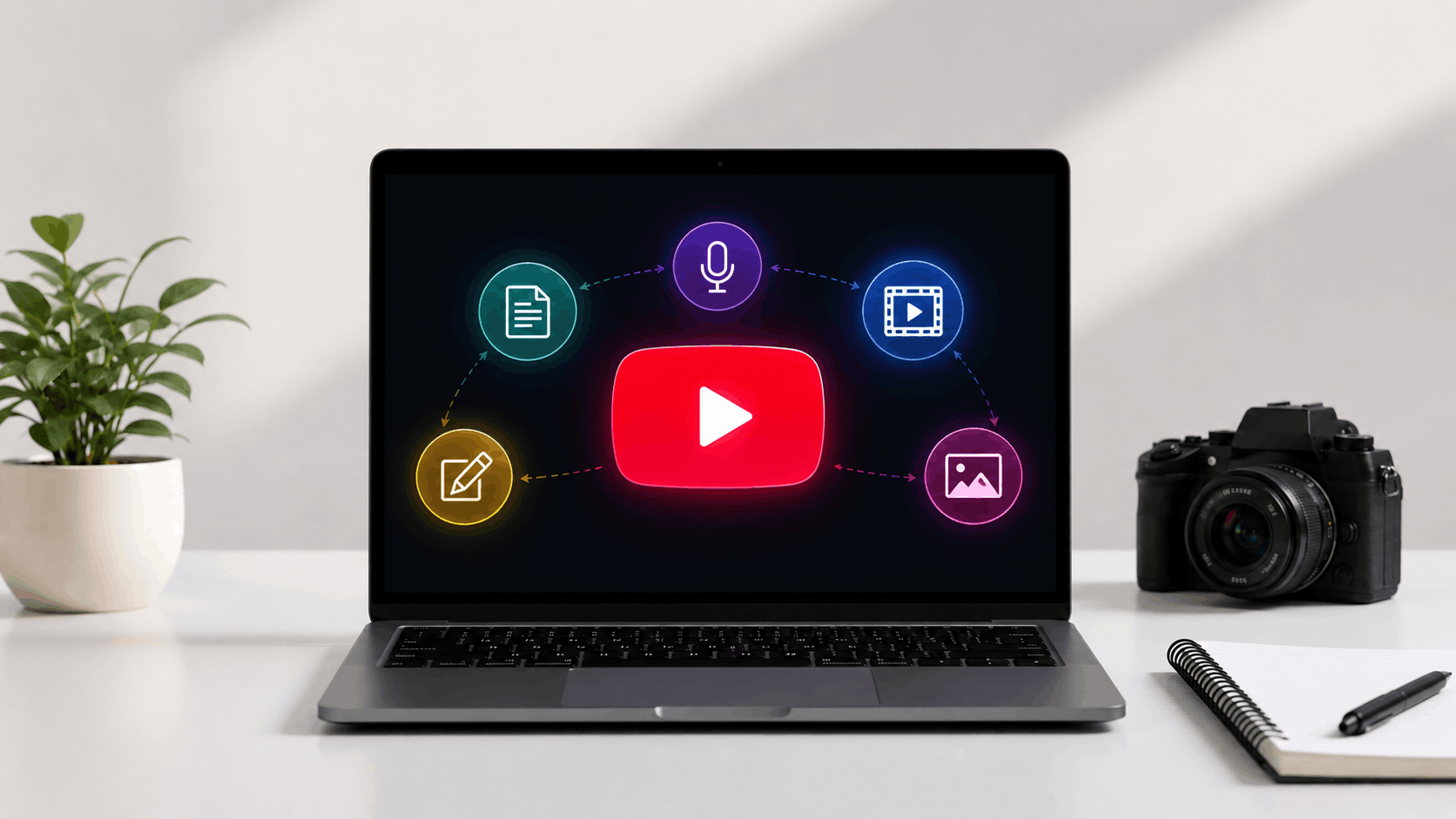
Idea → Script → Voice → Video → Edit → Thumbnail → Upload
You don’t need to be perfect at every step.
Just follow this process and improve slowly.
Now let’s see how you can start using AI tools even if you are a complete beginner.
Tips to Get Better Results
Here are some simple tips you can follow:
- Keep your script simple and easy to understand
- Edit AI output and add your own style
- Focus on a strong intro to grab attention
- Choose a clear and natural voice
- Keep thumbnails clean with one main idea
- Stay consistent with your uploads
- Learn from each video and improve step by step
Now let’s look at some common mistakes you should avoid.
Common Mistakes to Avoid
Here are some common mistakes you should watch out for:
- Using AI content without editing
- Choosing voice that sounds robotic
- Adding too many elements in thumbnails
- Using visuals that don’t match your video
- Trying too many tools at once
- Making videos too complex in the beginning
Avoiding these will make your videos much better.
Now let’s see which tools are best based on your needs.
Best Tools Based on Your Needs
Not everyone needs the same tools.
It depends on what you want to do.
Here are some simple suggestions based on different needs:
- If you are a beginner → ChatGPT + Canva
- If you want faceless videos → Pictory + ElevenLabs
- If you want quick videos → InVideo AI
- If you want more control → Runway + Descript
Pick what fits your goal and start with that.
You don’t need everything at once.
Now let’s wrap everything in a simple way.
Final Thoughts
You have seen all the tools.
You have also seen how each step works.
Now the real question is this.
Will you try it?
Many people read about tools, watch videos, and learn a lot. But they don’t take action. That is where they get stuck.
You don’t need to know everything to begin.
You just need one idea and one tool.
Start small.
Maybe your first video is simple. Maybe it is not perfect. That is completely fine.
When I first tried using AI tools, things felt confusing. The output was not perfect. I had to edit, try again, and learn slowly.
But after a few tries, everything became easier.
That is how it works.
AI tools are here to save your time, but your effort still matters.
If you:
- keep things simple
- stay consistent
- improve little by little
You will see results over time.
Also remember this.
Good videos are not about perfect editing or fancy tools.
They are about:
- clear ideas
- simple explanation
- helping your viewer
Tools can support you, but your thinking makes the real difference.
So don’t wait too long.
Pick one tool. Try one video.
That is all you need to begin.
Frequently Asked Questions (FAQs)
AI tools help you create scripts, voice, videos, and thumbnails faster.
No, most tools are simple and beginner friendly.
Some tools are free, but advanced features are usually paid.
AI helps a lot, but your ideas and creativity still matter.